Founders and operators
See launches, customer commitments, holidays, and internal deadlines in one scan.
Shared planning for professional teams
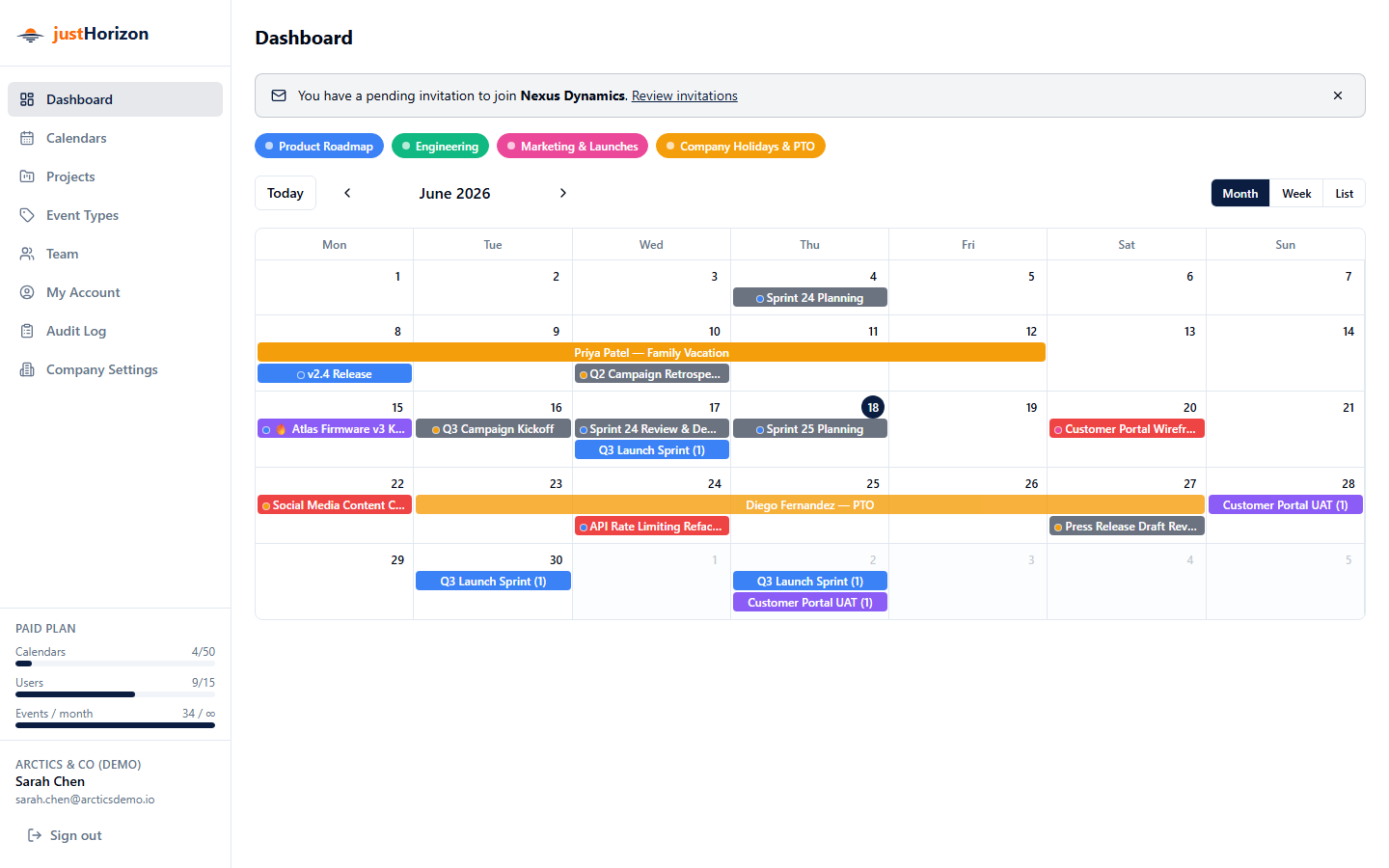
justHorizon brings launches, vacations, deadlines, projects, and handoffs into one shared planning calendar, so teams can see conflicts before they turn into surprises.
The problem
Project timelines live in spreadsheets. Vacations sit in HR calendars. Launch dates move through chat threads. Leaders ask for the overview, and every team exports a different version of the truth.
justHorizon gives each team a simple calendar while keeping the company view clear, filterable, and current. It is the planning layer between private calendars and heavyweight project management software.
Built for the teams that get asked
See launches, customer commitments, holidays, and internal deadlines in one scan.
Group related milestones, reveal dependencies, and keep project phases visible.
Publish holidays, onboarding windows, coverage gaps, and people milestones clearly.
How it works
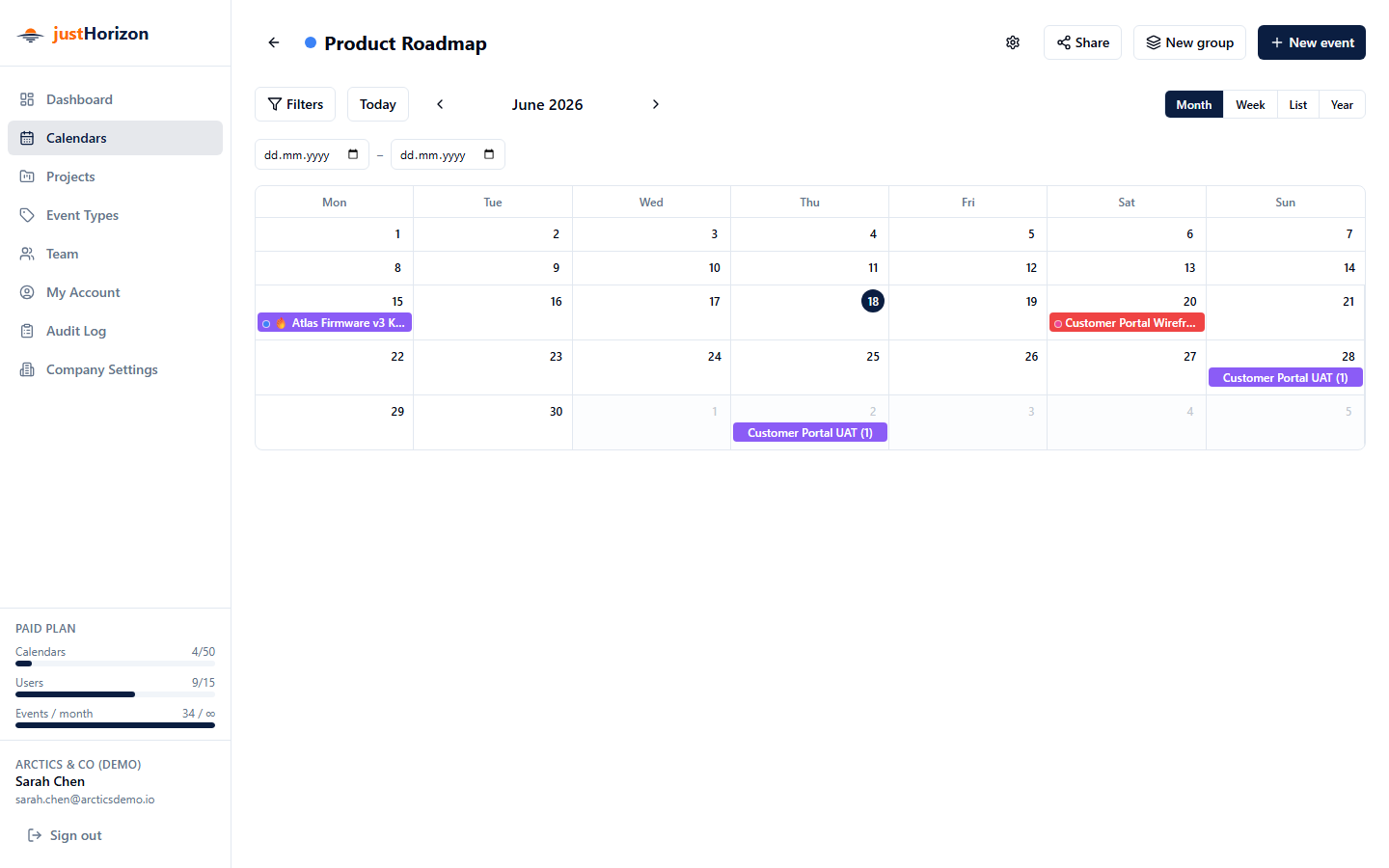
Create calendars for departments, projects, holidays, releases, or operations. Each calendar gets its own color, icon, and members.
Toggle calendars on or off to answer what is happening this week, month, quarter, or year without losing the team-level detail.
Tag events to projects, group related work, and keep the full timeline available when decisions need context.
Use month, week, list, and year views. Multi-day work appears as spanning bars, so busy periods stand out fast.
Assign viewer, editor, or admin roles per calendar. Keep visibility broad while protecting the plan from accidental changes.
Audit logs record creates, updates, and deletes with snapshots, so teams can see what changed and recover context quickly.
Product preview
Why teams switch
Plans hidden in spreadsheets, chat, private calendars, and status meetings.
One shared planning surface with owners, roles, filters, and change history.
Early access
Launch your first shared planning view without a sales call or credit card.
For growing teams, we help map your existing planning process into justHorizon.
Usage meters show when your team is ready for a larger plan.
Questions buyers ask
No. justHorizon is the shared planning calendar around your projects. Keep task work in your existing tools and use justHorizon for the company-level view of dates and dependencies.
Yes. Each calendar has its own members and roles, while leadership can still view the combined plan from one dashboard.
Start with launches, holidays, project milestones, deadlines, and cross-team handoffs. Those are the dates most likely to create hidden conflicts.
Ready for a clearer planning week?